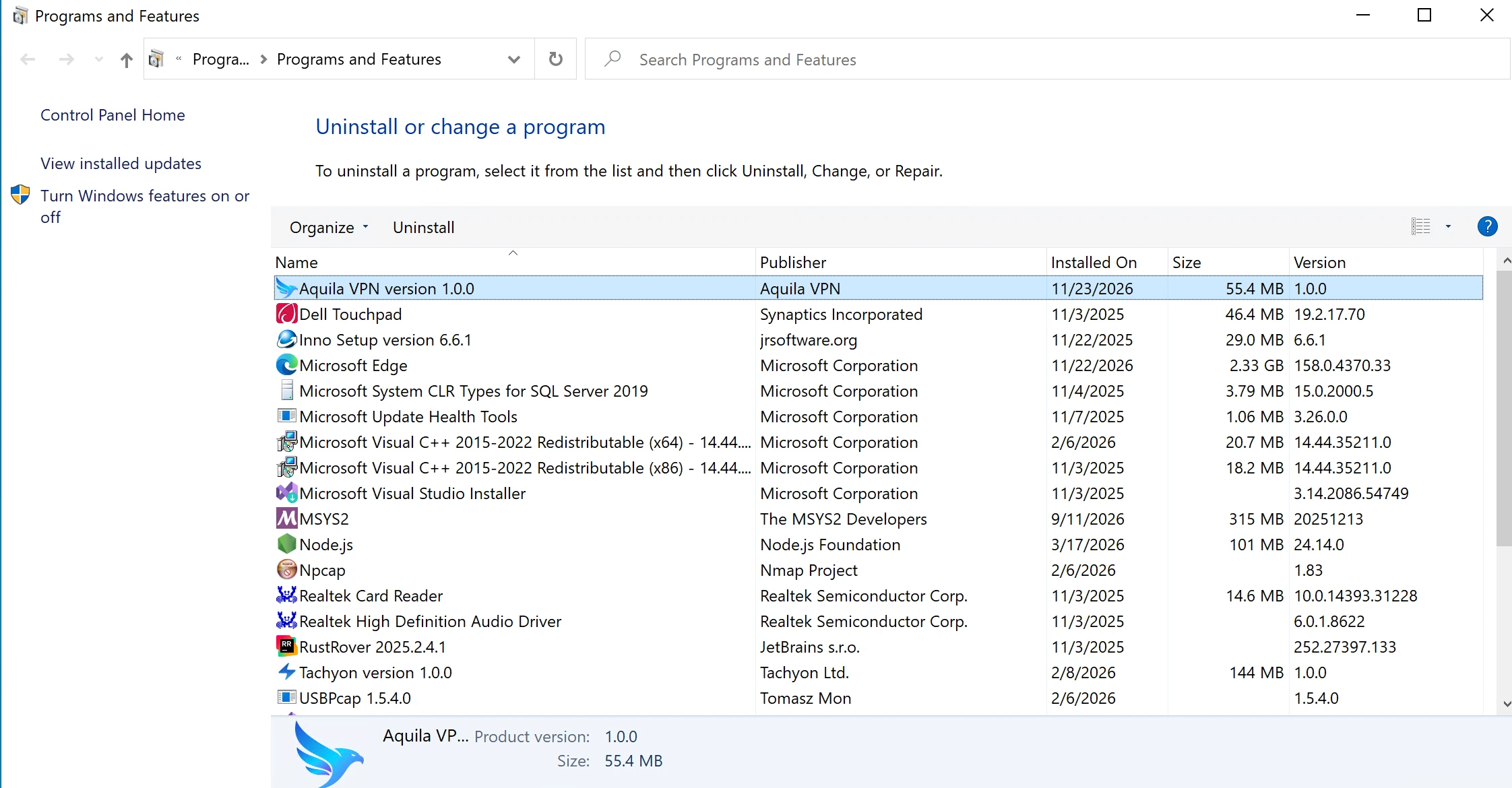
How do I uninstall Aquila VPN from Windows?
Remove Aquila VPN through Windows Settings.
Steps
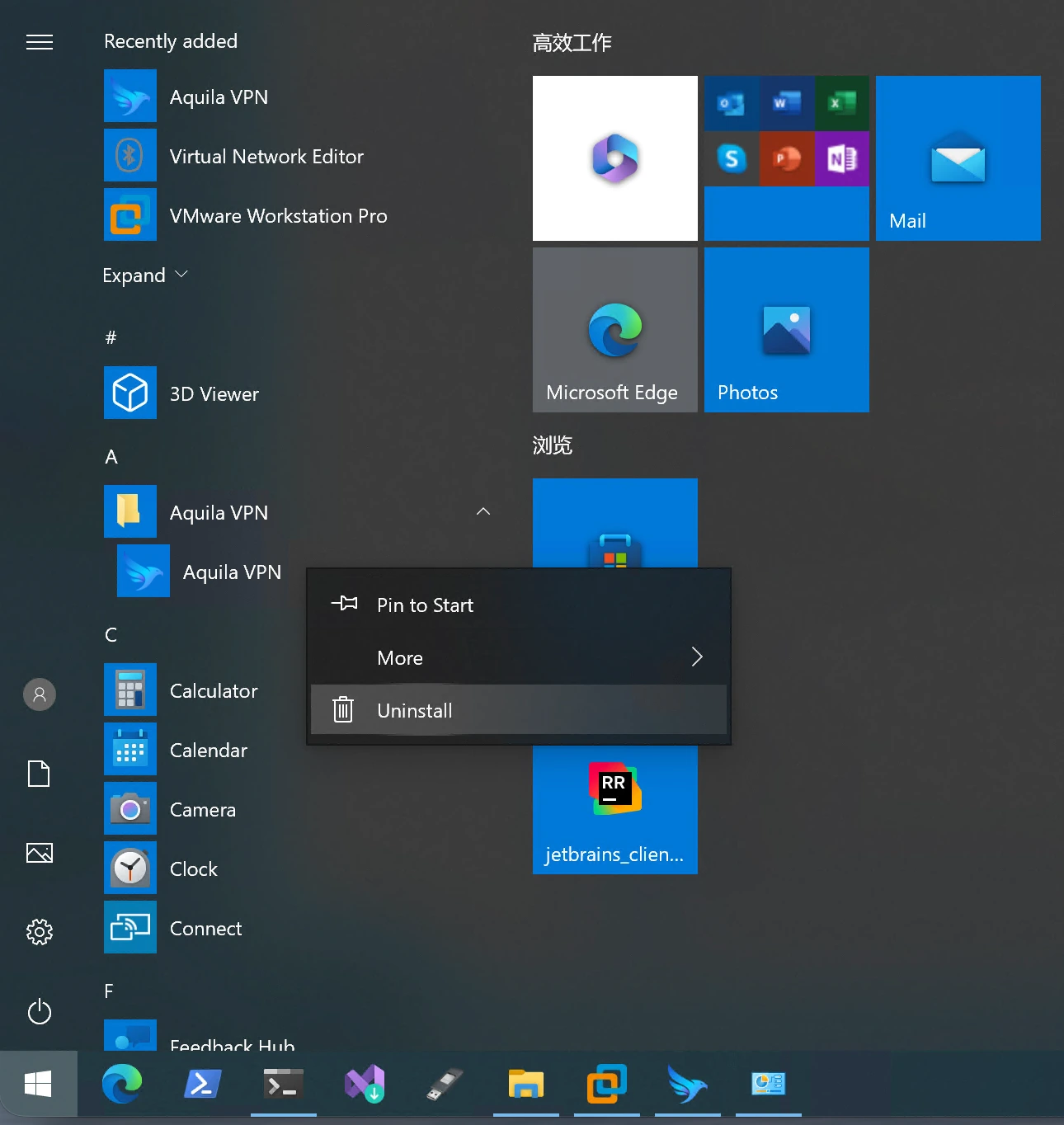
- Open the Start menu, find Aquila VPN, right-click it, and select Uninstall.
- In Programs and Features, select Aquila VPN and click Uninstall. Follow the prompts to complete removal.